From the team behind OpenHaldex
One 52 mm gauge for everything your car knows
can2gauge is a round digital gauge with a bright 2.1″ 480 × 480 glass. It reads the car’s CAN bus, the K-line, a Bluetooth OBD dongle, OpenHaldex and your aftermarket ECU, and now shows Google Maps turn-by-turn as well. Every page, colour and source is set from your phone.
Designed and built in the UK by Forbes Automotive. For enthusiasts – by enthusiasts.
Drag the glass left or right to change page, or hold it for the menu.
A gauge that asks the car, not a sender
Most gauges need their own sensor and a wire for each reading. can2gauge reads the values your car already has. On the CAN bus it listens to the engine, gearbox and cluster. On older cars it talks to the modules over the K-line. Or it can read through a Bluetooth OBD dongle with no wiring to the car’s data at all.
Each of its eight pages picks its own source. That means boost from CAN, oil temperature from the cluster and Haldex lock from OpenHaldex can all sit side by side, one swipe apart.
- VAG PQ / MQB / MLB CAN
- OBD-II PIDs
- Any of 108 DBCs
- KWP1281 measuring blocks
- ME7 logger
- BLE / Wi-Fi ELM327
- OpenHaldex
- MaxxECU, Link, Haltech, EMU
- Ignitron via usb2ip
- adc2can 0–5 V sensors
Ten page styles, any value on any page
Up to eight pages, swiped left and right like a phone. Each has its own style, range, redline and label, and every needle and arc moves like a real pointer.
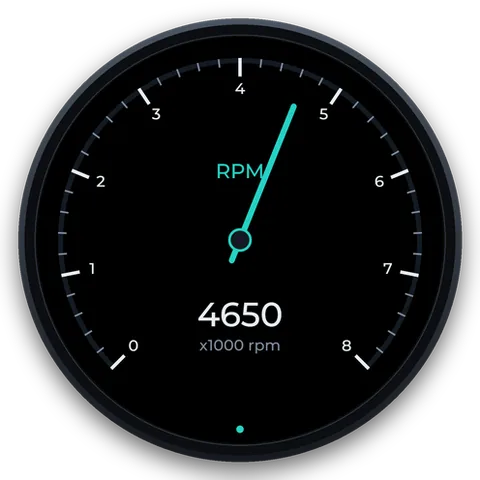 NeedleA classic dial with a counterweighted needle
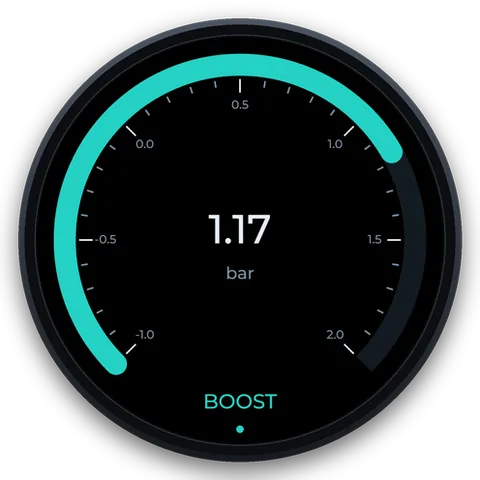 ArcA sweep, tick scale and big number
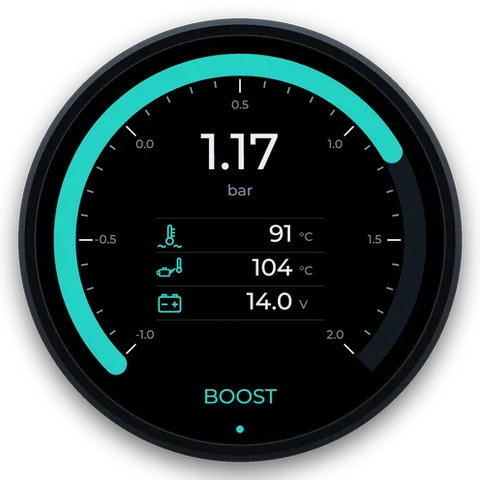 CustomAn arc plus three icon readouts
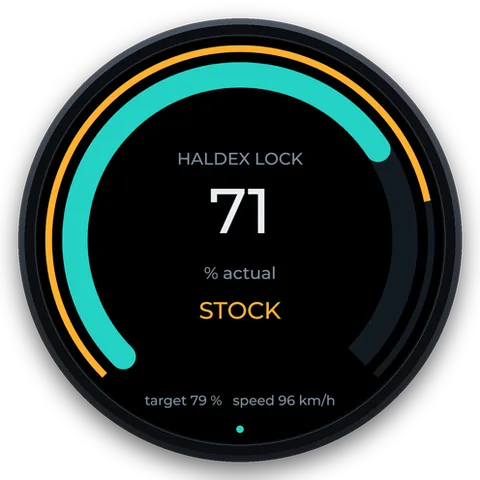 HaldexTarget and actual lock, and the mode
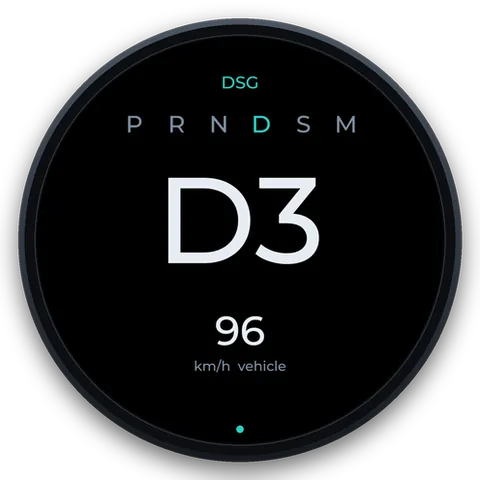 GearP R N D S M, the gear huge
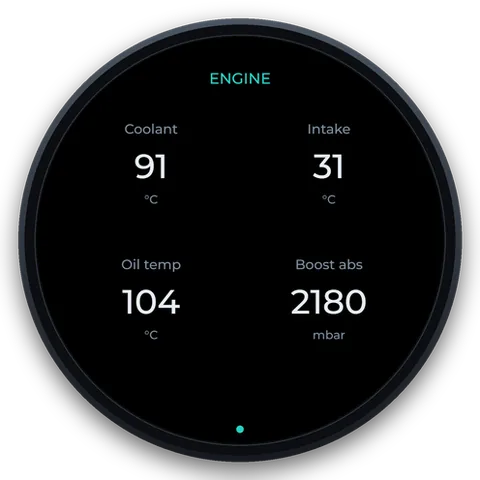 QuadFour values at once
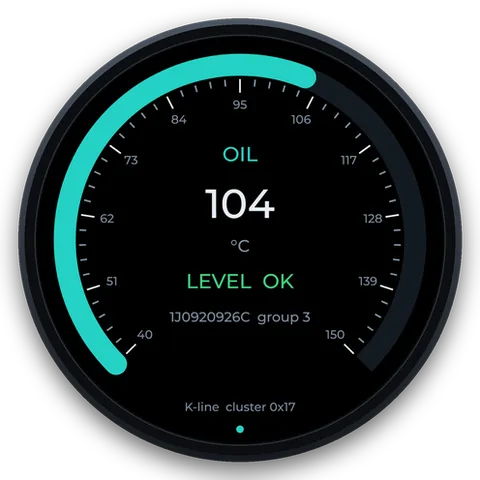 Oil (OEM)The cluster’s oil temperature and level
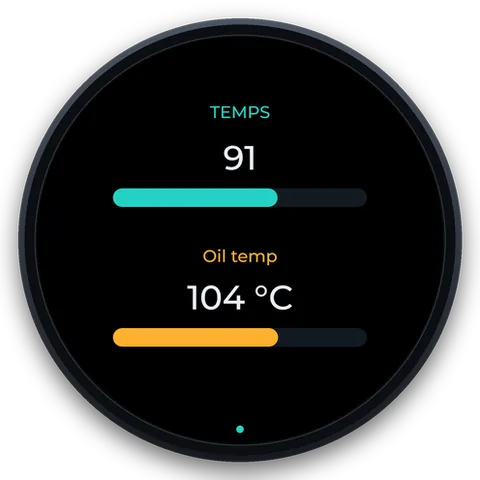 DualTwo values, each with its bar
New
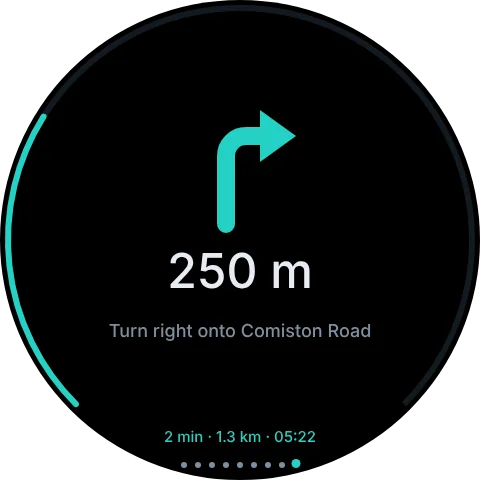
Google Maps turns, on the gauge
The can2gauge Link app for Android passes Google Maps’ next turn to the gauge over Bluetooth: the arrow, the distance, the street and your arrival time. It works with the phone locked in your pocket, and alongside Android Auto.
Maps isn’t modified and there’s nothing to wire. Add a Nav page, and the gauge can pop up as a turn gets close, then go back to boost.
- Google MapsNavigating as normal
- can2gauge LinkReads Maps’ turn notification
- Bluetooth LEArrow, distance, street, ETA
- can2gaugeThe Nav page
Built to be lived with
The things that make it easy to fit, easy to set up and easy to keep running.
- SETUP
First Boot finds your car
A new gauge asks to be set up from your phone, then checks every source, identifies the car from its CAN bus and suggests the profile, pages and colours. Nothing changes until you press Apply.
- WI-FI
No app, no laptop
Join
can2gauge-XXXXand open 192.168.1.1, the same address as every Forbes Automotive product. Changes save as you make them. - OPENHALDEX
The Haldex companion
Lock, target and mode from OpenHaldex over CAN, or over Wi-Fi with no wire at all. Swipe the Haldex screen to change mode on the move.
- THEMES
Matches your cluster
71 themes: 65 manufacturer cluster colours across 31 makes, by era. Match car picks yours from the VIN, and 33 make logos are included for the boot screen.
- ALERTS
Triggers and an output
Eight set-points that flash the glass, switch a 12 V output (high-side or low-side) for a fan or a shift light, or both.
- CHAIN
Gauges that talk
Fit two or three. One reads the car and shares with the others over CAN or Wi-Fi, and an update to one passes along to the rest.
- LOG
Data logger
Record any 16 values at up to 50 samples a second. View the graphs on your phone, or download a CSV for Excel, MegaLogViewer or Datazap.
- SERVICE
Read and clear faults
Fault codes over the gauge’s own K-line or CAN with no adapter, plus throttle-body adaptation on Mk4-era VAG.
- NIGHT
Dims with the dash
Wire in the dash-light feed and it drops to your night brightness with the headlights, keeping the theme’s colour.
Fits a standard 52 mm pod
The body goes through a standard 52 mm gauge hole and a U-bracket clamps it in, so it drops into the A-pillar, vent or DIN pods you can already buy, including our triple DIN mount.
Three latching plugs on the rear carry power, CAN, the K-line, the output and the dash-light input. The two bus plugs are wired straight through, so one harness loops from gauge to gauge.
Try it before you fit it
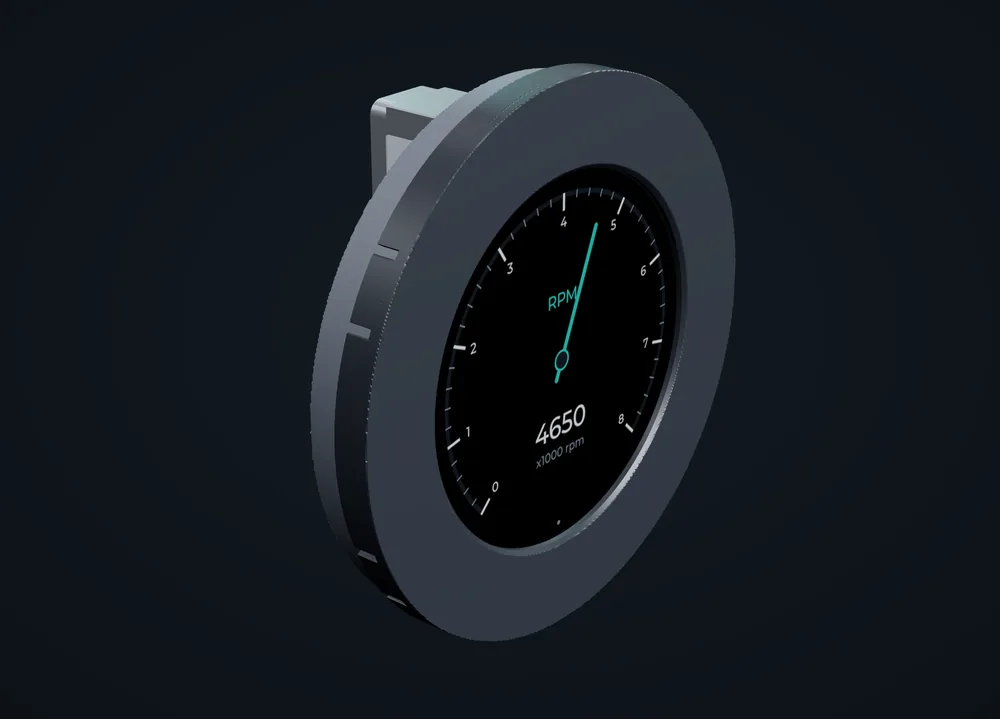
The demo is the gauge’s real drawing code replaying a recorded drive. Swipe its pages, change the theme, switch the OpenHaldex mode and follow a route.
Questions
Will it work on my car?
If your car has an OBD port, almost certainly. Any car from the OBD-II era can be read through the port, with a wire or a Bluetooth dongle. VW Group PQ, MQB and MLB cars get the most, because can2gauge listens to their CAN directly and talks to their modules over the K-line. MaxxECU, Link, Haltech and ECUMaster ECUs are read from their CAN streams, and an Ignitron through usb2ip. See Compatibility.
How much is it, and when can I get one?
can2gauge is £200. We’re finishing the first units now. Register your interest and we’ll email you when they’re ready to order.
Do I need OpenHaldex to use it?
No. can2gauge started as the OpenHaldex companion display, and it’s the best way to see and change your Haldex mode, but it’s a full gauge on any car without it. The Haldex page and menu item simply hide if you don’t have one.
Which phones does the navigation work with?
Android, with Google Maps. The can2gauge Link app reads the turn notification Maps already shows, which iOS doesn’t allow apps to do, so iPhone isn’t supported. See Navigation.
How bright is it?
The glass is a 2.1″ round IPS panel rated around 1000 nit, driven by a constant-current backlight. Day and night brightness are set separately, and it can follow your dash lights.
Can I run more than one?
Yes. The power and CAN plugs pass straight through, so gauges daisy-chain on one harness. One gauge polls the car and shares its values with the others over CAN or Wi-Fi, and Show Numbers puts each gauge’s number on its glass so you can tell them apart while setting up.